| 1 | Important note |
| 2 | Download speed camera data |
| 3 | Preparing USB flash drive |
| 4 | Installation of speedcam data on navigation device |
| 5 | Updating speed cameras |
Are you a native speaker? Would you be willing to help us?
We are very appreciative of translations, proofreading or pictures/screenshots to help optimize our installation guide. Or any other advice.
Please don't hesitate to write us an email: info@scdb.info. Thanks in advance.
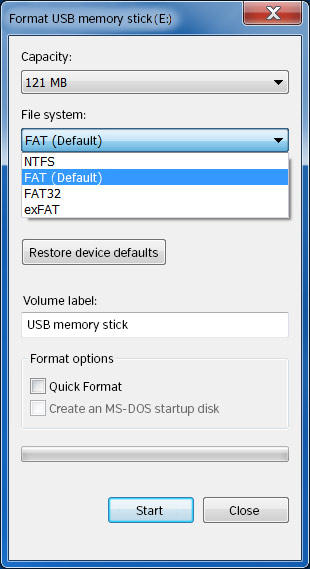
Opel Touch & Connect units only read USB drives formatted as FAT/ FAT16.
The installation requires a USB flash drive formatted as FAT/ FAT16 (not: FAT32). Therefore use a USB flash drive with maximum capacity of 4 GB. USB drives over 4 GB cannot formatted as FAT/ FAT16. Be aware of the capacity!
Go to our product page for Opel Touch & Connect.
We offer only data of fixed speed cameras.
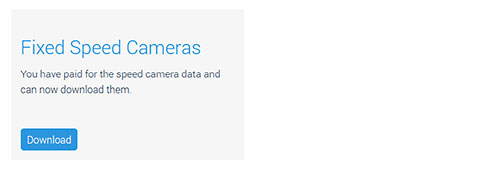
Press button Download.
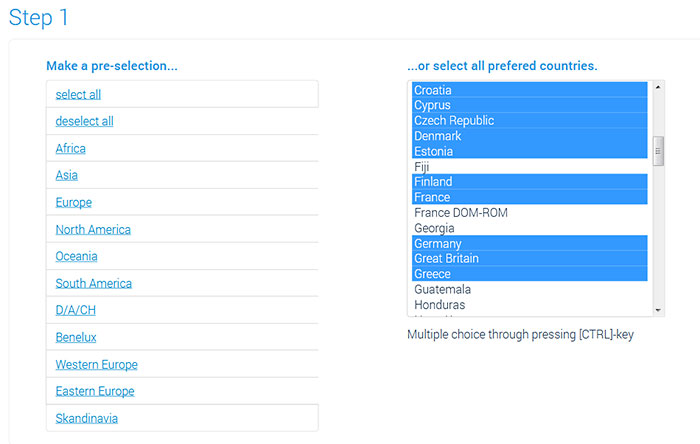
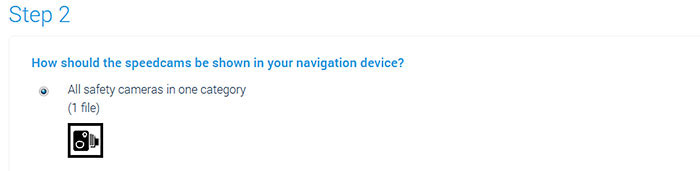

Unpack the zip file.
You get unzipped file SCDB_Camera.asc.
Unpacking on a Windows computer: right-klick on the zip file > Extract all...
Unpacking on a Mac Computer: double-klick on the zip file.
Note: Do not try to open the file with any program. The file can get damaged and become unusable.

Turn on the ignition.
Wait until the device is completely started.
Connect the USB drive to the unit.
Press SETUP key.
Click to Navigation.
Click to Download myPOIs(?) (Meine Sonderziele jetzt laden).
Do you have some pictures for us? (in your language)
Would you like to improve our translations? We are very appreciative of your help. Please help us optimize our installation guide.
Don't hesitate to send us an email any time: info@scdb.info. Thanks in advance.

The speed camera data are loaded to the unit.
Wait until loading is completed.
Press SETUP key.
Click to Navigation.
Enable myPOIs alerts(?) (Sonderziel Warnung).
Do you have some pictures for us? (in your language)
Would you like to improve our translations? We are very appreciative of your help. Please help us optimize our installation guide.
Don't hesitate to send us an email any time: info@scdb.info. Thanks in advance.

The menu of proximity alerts (in screen: "Entfernung für Sonderz.-Warnung") allows you to set the distance before approaching the camera. Select a value in the list.
Open system settings.
Enable Funktionstöne.
Do you have some pictures for us? (in your language)
Would you like to improve our translations? We are very appreciative of your help. Please help us optimize our installation guide.
Don't hesitate to send us an email any time: info@scdb.info. Thanks in advance.

Repeat all steps of the guide above to update speed cameras in your device.
We recommend to update the data once a month to drive safely.