Flitspalen POI's voor Clarion MAP-serie

Installatie-instructie

Unfortunately the description of the plug-in and the installation guidance are at the moment only in German, English, French and Spanish available. We look for assistance to translate the texts into other languages (Italian, Dutch). The assistance will be recompensed with a lifelong free account!
Please write us an e-mail to support@scdb.info for more information!
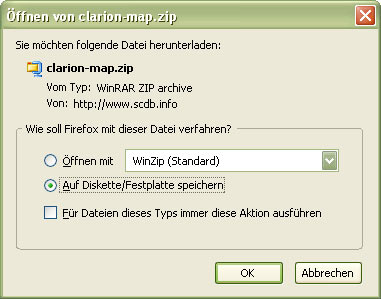
  1. Please log in to SCDB.info and select your desired countries before starting the download. Save the file clarion-map.zip to your hard disk.

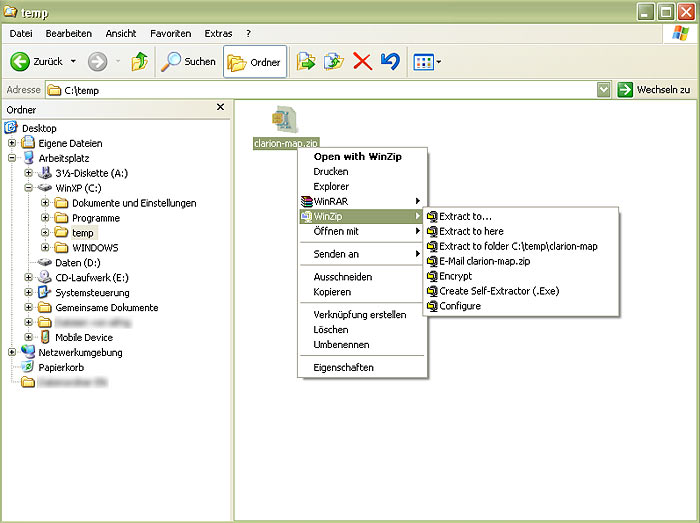
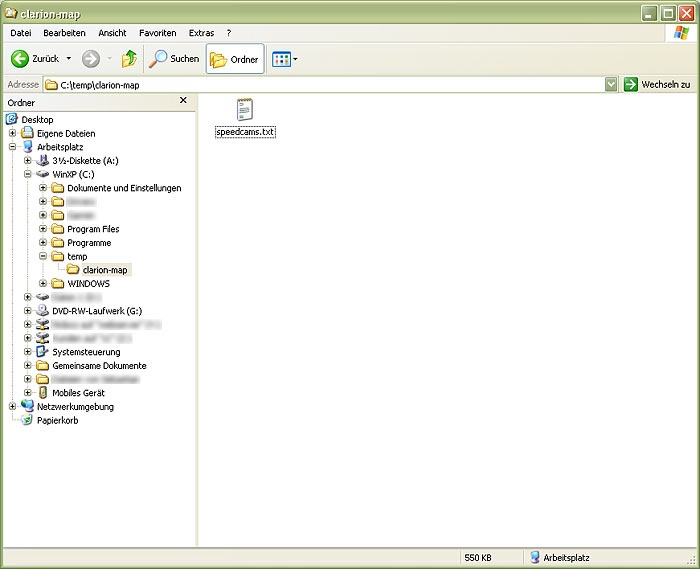
  2. Please unzip the overlay with a suitable program - we recommend WINZIP - in a target folder of your choice on your computer.

  3. Check before the installation of the POI file whether a current Microsoft ActiveSync version is installed on your PC. If not, you can load Microsoft ActiveSync 4.5 for free from Microsoft website.
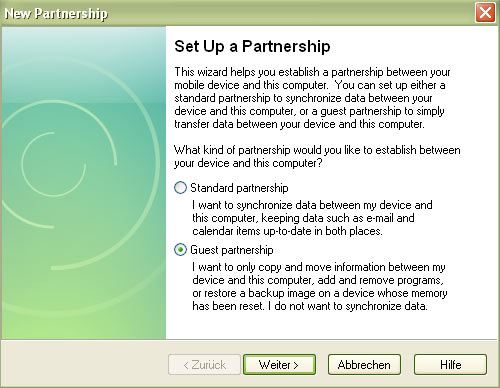
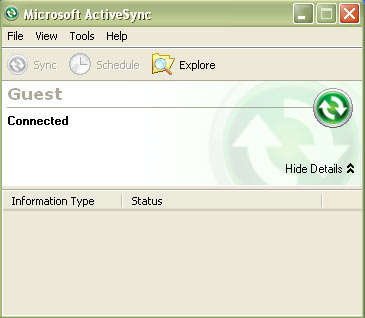
  4. Connect your Clarion MAP to the PC over the USB cable and select Guest partnership connection via Microsoft ActiveSync.

  5. Now copy the extracted file speedcams.txt to your Clarion in the folder My Flash Disk/Clarion/POI/Speedcam.

  6. Disconnect your Clarion with PC and start the navigating software.

  7. Please go to the menu Instellingen/Algemeen/snelheidswaarschuwing/Camera's inschakelen and activate the alerts.

  8. Restart your Clarion MAP and search for a GPS fix. Now, all speed cameras are installed and your Clarion is ready for a safe trip!


« terug naar de POI-pagina


Overview: ALK CoPilot, Destinator, Garmin, GoPal, Navman, TomTom GO, TomTom Mobile, POI, Warner Detection
kosteloos flitspalen, OV2, POI-bestand PDI, GPS Navigatie, POI, Poiedit, POI Manager, POI Loader
Flitspalen, GATSO, Traject Controle, Flitspaal Flitspalen, Radarverklikker Radardetector
Belgisch Limburg Doorrijders Flep Flevoland Friesland geflitst Nederland Noord Holland Vlaanderen Paal Palen Vlaams Brabant Vlaanderen Zeeland