Êtes-vous un parleur né? Seriez-vous prêt à nous aider?
Nous sommes très reconnaissants des traductions ou des images / captures d'écran pour aider à optimiser notre guide d'installation. Ou tout autre conseil.
N'hésitez pas à nous écrire un email: info@scdb.info. Merci d'avance.
We offer data of fixed speed cameras and mobile speed cameras.
Go to our productpage for Kenwood.
Make your choice.
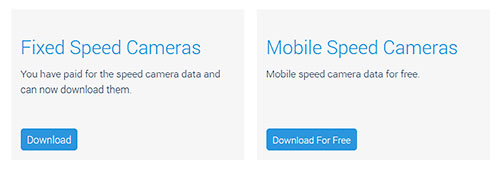
Download mobile speed camera data:
Press the button Download For Free.
The download starts automatically.
Save file kenwood-mobile.zip to your hard disc.
Note:
Kenwood devices based on Garmin software. Our screenshots are to be understood as examples.
They show the file garmin-mobil.zip instead of kenwood-mobile.zip. Mentally replace garmin with kenwood.

Download fixed speed cameras:
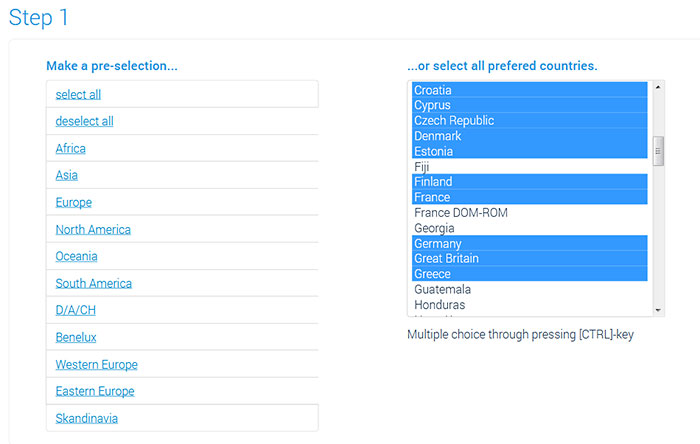
Make your choice on the download page.
Use the preselection list on the left side or the country list on the right.
Press the CTRL key for multiple choice.




The folder kenwood includes fixed speed cameras.
Files formats: CSV (speedcams) and BMP (icons).
The number of files depends on your choice on download page.
The file name indicates which speed camera data is contained in the file.
We downloaded speed cameras for Europe, split in all categories. File names let you know about the file content.
Our speed values are unitless. They can refer to mph (Great Britain) and kph (Continental Europe).
Ex.: Both, the British speedcam with 30mph and the German speedcam with 30kph are included in the file SCDB_Speed_30.csv (if you select these countries).
See also capter 7: Advice for countries with various units (MPH and KMH).
| SCDB_Redlight | redlight cameras |
| SCDB_Redlight_50 | combined cameras for redlight and speed |
| SCDB_Section_40 | SPECS, section controls with speed limit 40 mph / kph |
| SCDB_Speed_30 | speed cameras with speed limit 30 mph / kph |
| SCDB_Speed_variable | speed cameras with variable speed limit |
| SCDB_Tunnel | cameras inside a tunnel or following a tunnel |


Move all files for fixed speedcams and all files for mobile speedcams into one folder before starting POI Loader.
(Ignore this step when you install only fixed speedcams.)
In our example: We create a new folder SCDB-Blitzer on the desktop.
We then move all files into this folder to install.


Important note:
Use an USB flash drive or a SD card for the installation.
We don't know before what a specific device needs. It depends on the individual case. Examples:
| Installation with USB flash drive | Installation with SD card |
| Kenwood DNN 9230 DAB | Kenwood DNX 4180 BTS |
| Kenwood DNR 3190 BTS | |
| Kenwood DNR 4190 DABS | |
| Kenwood DNX 451 RVS | |
| Kenwood DNX 4190 DABS | |
| Kenwood DNX 5160 DABS | |
| Kenwood DNX 5190 DABS | |
| Kenwood DNX 7150 DAB | |
| Kenwood DNX 7190 DABS | |
| Kenwood DNX 9190 DABS |
Note: If it doesn't work with the first option, please try the other one.
Connect USB flash drive or SD card to the computer.
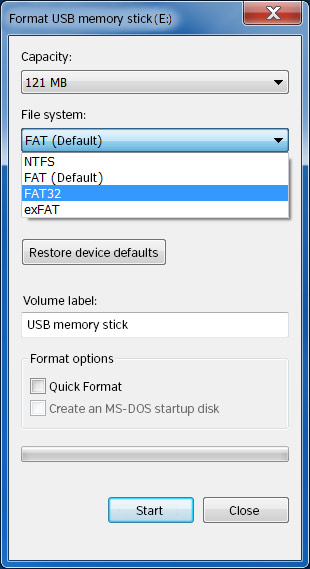 or
or

 or
or


Disconnect SD card or USB flash drive from the computer.
Switch on the Kenwood device.
Start navigation.
Insert SD card / USB flash drive to device.
Usually the device automatically recognizes the new data.
Sometimes message appears: "All existing own POIs are deleted. Do you want to continue?".
Confim Yes.


Finally, your device is ready for a safe drive!
Repeat all steps of the guide above to update the speed camera data on your device.
In general, it is not necessary to delete old data before.
New data overwrite the old ones if you choose the same name for POI file (e.g. poi).
In case you have any problems with the installation, you should delete old POIs from the system beforehand.
Monthly updates are recommended.
In case you want to travel to countries with another speed unit, there are a few things you must consider.
Example:
You downloaded data for fixed speedcams in "Europe" with the option "Split into all categories (several files)".
These files are unitless in our data: So, the file SCDB_Tempo_30.csv contains speedcams with both speeds 30 km/h AND 30 mph.
Problem:
In Europe, the speed is measured in km/h (kilometers per hour), while in Great Britain it's mph (miles per hour).
In the POI Loader though, you have to choose only one unit.
Solution:
Please download the countries with the with different units separately from each other.
Install the files using the POI Loader separately from each and choose different names.
Example:
First, please download data for fixed speedcams in Europe (without Great Britain).
Only then go on to download the data for Great Britain.
Install the data for Europe first, using the POI Loader.
Name the POI file poi-europe and choose the units Meter und km/h.
POI Loader will create the file poi-europe.gpi.
Then, install the data for Great Britain using the POI Loader.
Name the POI file poi-uk and choose the units Miles and mph.
The POI Loader will create the file poi-uk.gpi.
In the device settings you can adjust the units for each country.
The speedcam alerts will now be correct and unit based.