Are you a native speaker? Would you be willing to help us?
We are very appreciative of translations, proofreading or pictures/screenshots to help optimize our installation guide. Or any other advice.
Please don't hesitate to write us an email: info@scdb.info. Thanks in advance.
We recommend to use a Windows computer for the installation.
Mac computers write additional service files on the USB flash drive. It doesn't work with these files.
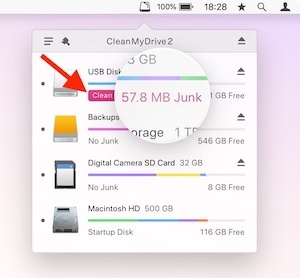
Therefore you should clear the USB flash drive with the free application CleanMyDrive 2 before connecting to the navigation device.
Speedcam alerts comes also without active navigation routing. Alerts appears approximately 250 meters before approaching.
Speedcams are shown by icons (small cameras) when the map is in foreground. If the map is in background, some devices bring an alert pop-up showing speedcam ID and speed limit (depending on device software).
Installation of new custom POIs always overwrites self-installed POIs from previous installation.
Nissan pre-installed POIs (restaurants, gas stations, etc.) will be never deleted.
The devices only offer an acoustic alert sound for POI warnings.
Voice alerts are not available.
Re-download the database and decrease the number of countries if you get an error message or system crashed.
We received advices that some devices with MapVersion sd2-CONNECT_2012_EUR v3 can only import a limited number of POIs.
POI installation is available for these devices:
Nissan Connect 1.5
Nissan Connect 2
Nissan Connect 3
POI installation is not available for these devices:
Nissan Connect 1.0
Nissan Connect 3 (MY2019)
Below we show you how to distinguish the devices. Compare your unit with our pictures.
Nissan Connect 1.0 and Nissan Connect 1.5 look very similar.
Try to find the device ID in the menu: Setup > Navigation > MyPoi Settings > Device Information.
Nissan Connect 1.0 devices do not show a device ID. POI installation is impossible.
Only Nissan Connect 1.5 show a device ID. POI installation is possible.

Nissan Connect 3 device below is ready for speedcams. Pay attention to the red arrows.
- ENTER in the right knob
- SD icon
- CAMERA key on left side of the screen


The free sample file for UK allows you to test if POI files can be installed on your navigation device.
Install sample file according to this installation guide.
Download sample file
Try before purchase. Refund excluded after download started of full database.
Go to our page for Nissan Connect.
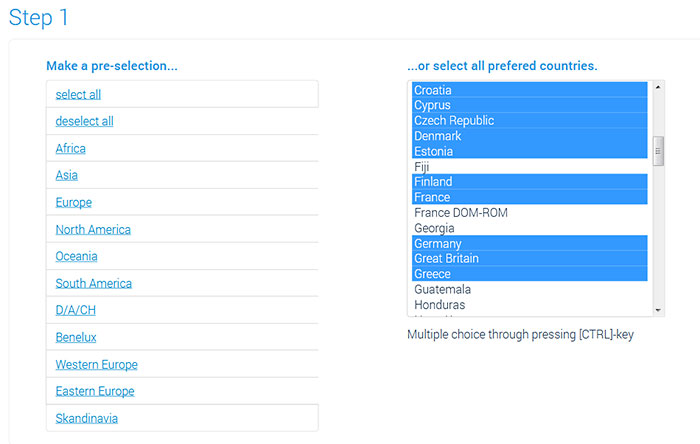
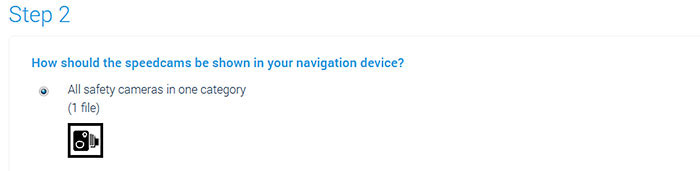
We offer only data of fixed speed cameras for Nissan Connect.
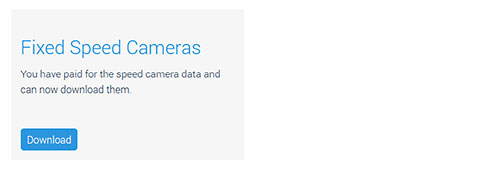
Press button Download.



Turn on the ignition.
Wait till device is completely started.
Connect USB stick to device (USB slot is usually on the right side next to ignition).
The device normally indicates installation of new POI files automatically. Confirm installation.
If not:
Click Setup key.
Go to menu Navigation > MyPOI Settings > Download MyPOIs Now.
If that also not work:
Connect USB stick first to the device and turn on ignition afterwards.
After a short time the display should automatically show a message that new POIs have been found.


Do you have some new pictures for us?
Would you like to improve our translations? We are very appreciative of your help. Please help us optimize our installation guide.
Don't hesitate to send us an email any time: info@scdb.info. Thanks in advance.
Repeat all steps of the guide above to update speed cameras in your device.
Pay attention to reformat USB stick each time before use.
As a rule it is not necessary to delete old data beforehand. But if you have any problems with the installation, you should delete old MyPOIs from system beforehand.
Monthly updates will be recommended.
We also recommend to visit the Frequently Asked Questions.
In most cases, the solution to a problem can already be found here.