| 1 | Important note |
| 2 | Free sample file |
| 3 | Download speed camera data |
| 4 | Installation of speed camera data |
| 5 | Enabling speed cameras |
| 6 | Updating speed cameras |
Are you a native speaker? Would you be willing to help us?
We are very appreciative of translations, proofreading or pictures/screenshots to help optimize our installation guide. Or any other advice.
Please don't hesitate to write us an email: info@scdb.info. Thanks in advance.
Your navigation unit is based on iGO software from the manufactor NNG. In some iGO versions, the manufacturer blocks the display of speed camera data in individual countries. This can affect Switzerland, France and border regions, among others.
The installation of speed cameras is disabled in the version iGO nextGen. You can recognize this version by the icon of the application file:

After map and software updates, the speed camera warning function may be lost. Therefore, consider carefully beforehand whether you really need the update. It is no longer possible to reset to the previous version afterwards.
Please try our free sample file before purchase.
The free sample file for Europe allows you to test if POIs can be installed on your navigation device.
Download sample file
Install the sample file according to this installation guide.
The sample file covers European data from 2016. It does not cover all speed cameras. Do not use it for a safe trip!
After installation search for speed cameras in the map.
The installation succeed when you find speed cameras in the map. In this case you may download he full version of our database.
Try before purchase. Refund excluded after download started of full database.
Go to our productpage for iGO.
We offer only data of fixed speed cameras.
Click button Download.
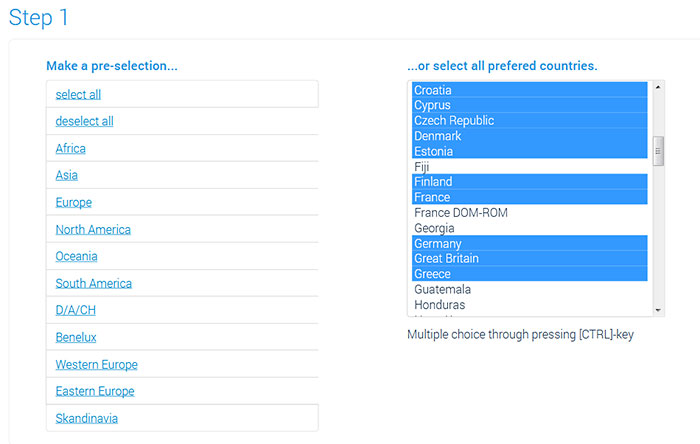
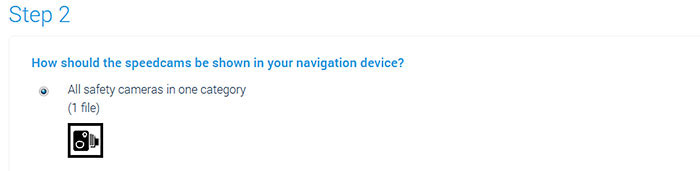

Find out where the navigation software is installed (SD card or internal memory).
Option 1: SD card
Remove the SD card from the device and connect it to the computer.
e.g. Clarion NX807E (SD card behind the front plate)
Option 2: Internal memory of a mobile device
Connect the mobile device to the computer.
Option 3: Internal memory of a built-in device
You have a built-in device without SD card. In this case speed camera data will be installed by using a USB flash drive. Check the manual of your device for more information. Either you have to collect device information directly from the device. Or you have to install a synctool for your specific device on the USB flash drive .
Check naviextras.com website for synctool download.
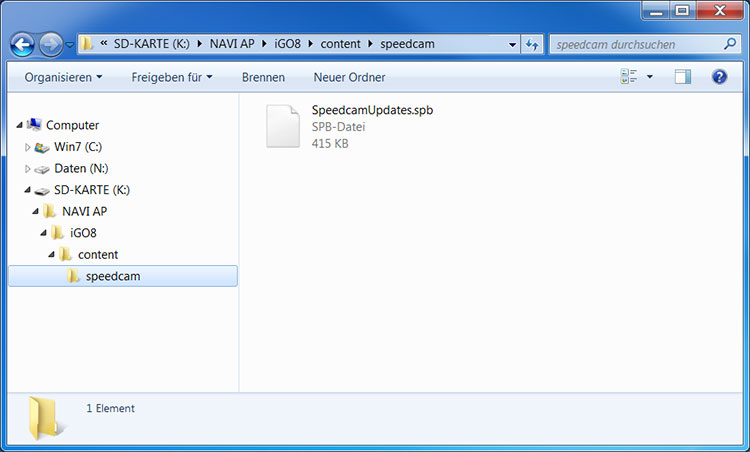
In the following see some examples of what the directory structure on the SD card, in the internal memory of the device or on the USB flash drive could look like.
Note: The file size is exemplary and depends on the selected countries.
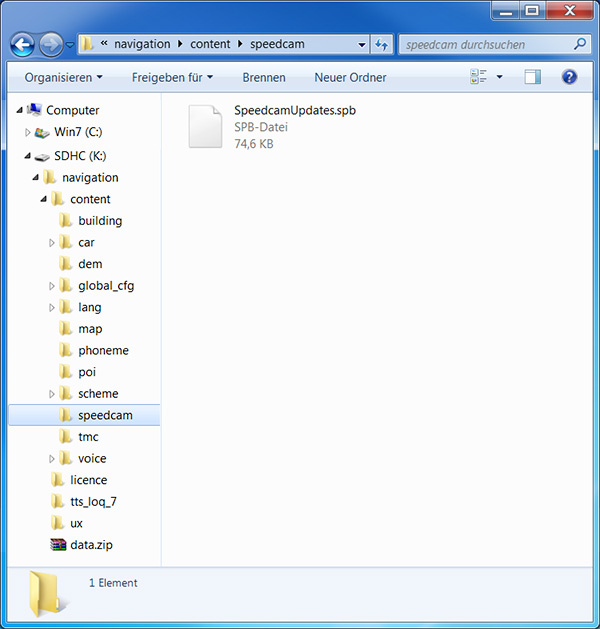
Safely remove the SD card or USB flash drive from the computer.
Connect the SD card or USB flash drive to the device.
or
Disconnect the mobile device from the computer.
Start the navigation software.
The boot process may now take a little longer, as the speed camera data is imported into the software.
Make sure that the device gets a real GPS signal.
Your vehicle should be outdoors. Probably, you will not find real GPS signal if your vehicle is in the garage.
Check all preferences in the device to enabling speed camera alerts.
In most cases the menu is named Settings > Alerts or Settings > Warnings > Speed Camera Warning.
The wording of the menu may be different (depending on installed software version).
Do you have some pictures for us? (in your language)
Would you like to improve our translations? We are very appreciative of your help. Please help us optimize our installation guide.
Don't hesitate to send us an email any time: info@scdb.info. Thanks in advance.
The following example shows the menu of Clarion NX405E.
The menu is named Settings > Warnings > Speed Camera Warning (Einstellungen > Warnpunkte > Warnung bei Warnpunkten).
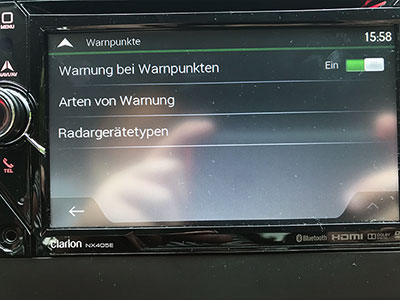
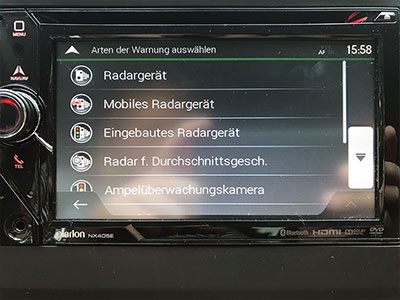
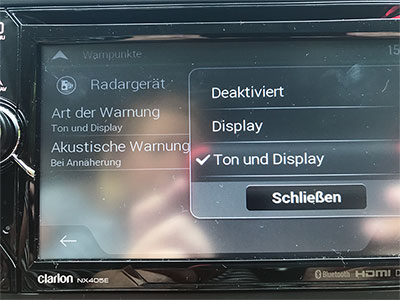
Note 1: In most cases real GPS signal is required to find the menu for enable warnings.
Note 2: The category for mobile speedcams is not supported by our database. You can only download fixed speedcams from our website.
Note 3: The iGO software manages all acoustic and visual alerts. We have no influence on acoustic or visual alerts. Our database is just a POI file.
Note 4: In most devices you have to choose a TTS speech for acoustic alerts. TTS speeches tells you street names and other notifications.
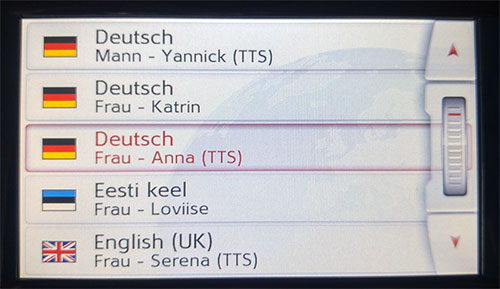
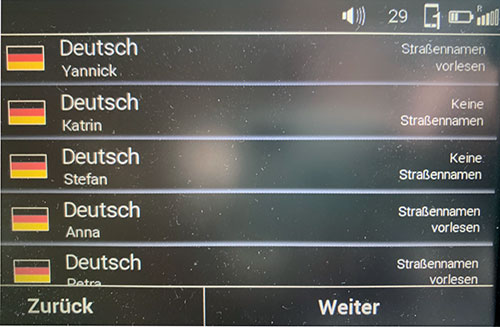
Note 5: Your navigation device is based on iGO software from the manufacturer NNG. In some versions of iGO, the manufacturer blocks the display of speed camera data in individual countries. This can be Switzerland, France and border regions.
Look for speed cameras on the map. And take a real test drive.
Note: It will not work if you are only simulating a route.
Repeat all instruction as same as a new installation to update speed cameras in your device. Copy the downloaded file SpeedcamUpdates.spb into the folder speedcam (according to instructions above). Replace/overwrite the pre-existing file.
We recommend to update the data once a month to drive safely.